
CloudBeds Support Article
TTLock
GENERAL INFO
Cloudbeds interface licensing per property based on rooms
Uses secure HTTPS connection for data transfer.
Interface all guest profiles after reservation has been checked-in.
Interface is available to hotels with access to Cloudbeds Marketplace
ORDERING PROCESS
Send CloudBeds an inquiry through [MECX-TECH – How to Sign Up and Connect] page. We will respond with the quote including all cost of implementation, and fee.
Installation, configuration, and testing are done by MECX-TECH implementation specialist together with your IT department.
Remote training will be provided for end users, front office.
INTERFACE INFORMATION
We’re using integrated guest profile to TTLock after reservation has been confirmed or checked-in. Please find more information as followed.
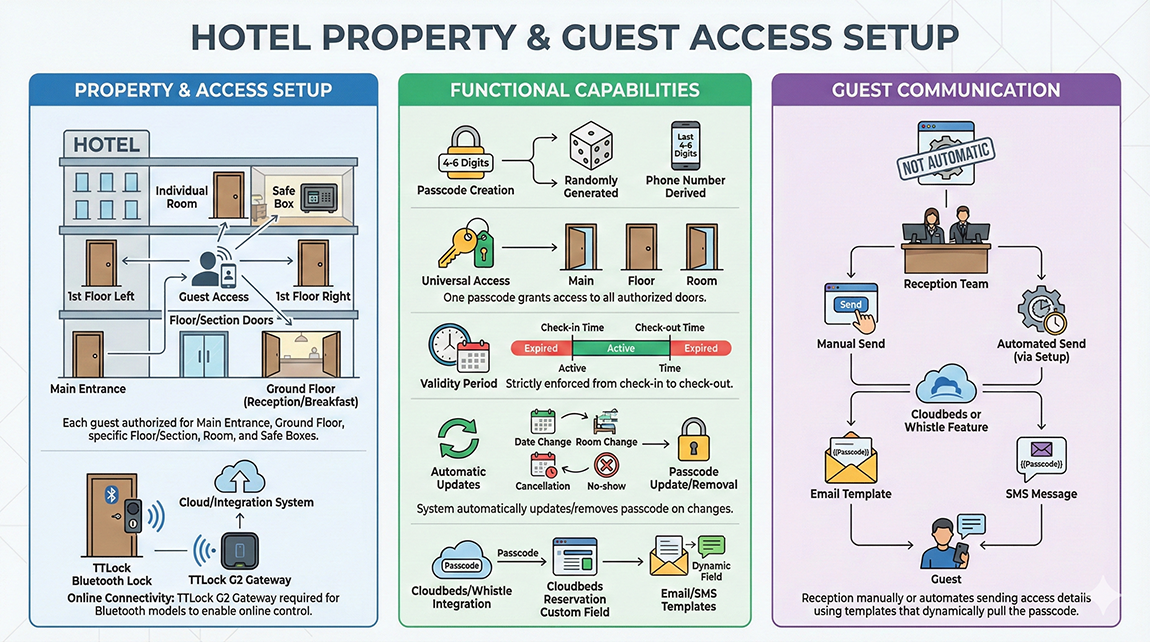
Property & Access Setup:
– Common Doors: Access can be configured for the Main Entrance, Ground Floor (reception/breakfast areas), Floor/Section doors (e.g., 1st floor left/right).
– Guest Access: Each guest will be able to access the Main Entrance, Ground Floor, the specific floor/section where their room is located, and their individual room, and safe boxes.
– Online Connectivity: If you are using a TTLock Bluetooth model, a TTLock G2 or G5 Gateway must be installed to enable online connectivity and control through our integration system.
Functional Capabilities:
– Passcode Creation: The system supports the automatic creation of a unique 4–6 digit passcode per reservation. Passcodes can be generated randomly or derived from the last 4–6 digits of the phone number provided in the reservation.
– Universal Access: The same passcode will grant access to all doors authorized for that specific guest.
– Validity Period: Passcode validity is strictly enforced from the check-in time to the check-out time.
– Automatic Updates: The system automatically updates or removes the passcode in the event of date changes, room changes, cancellations, or no-shows.
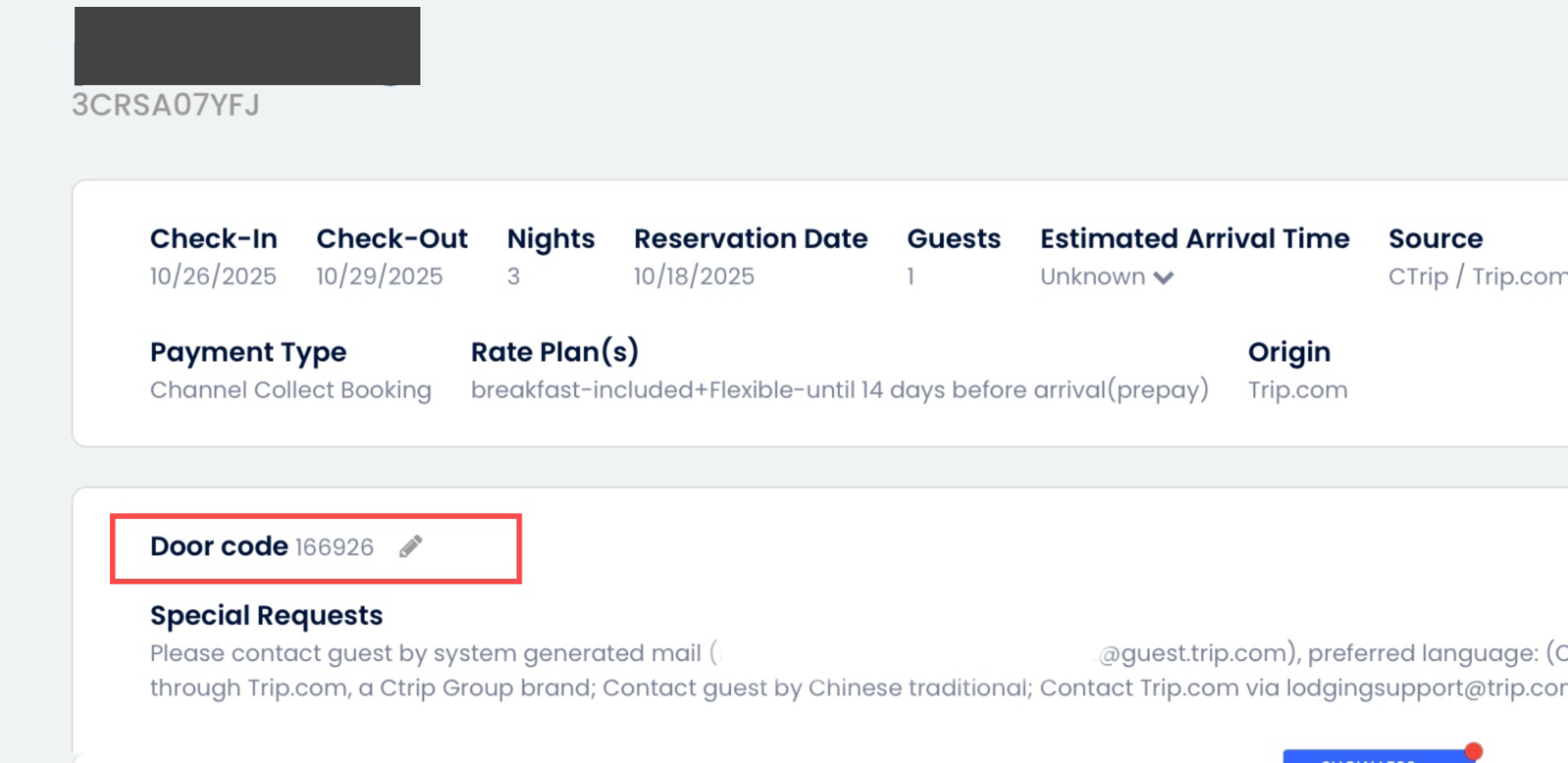
– Cloudbeds/Whistle: The generated passcode will put it to Cloudbeds reservation custom field and used as a dynamic field within Cloudbeds email template or Whistle email template/SMS messages.
Guest Communication:
– The passcode will not be sent automatically. Your reception team will manually/automate sending the access details to guests using the Cloudbeds or Whistle feature, utilizing a template that dynamically pulls the passcode.
Room mappings must be provided in our system before going live.
1. TTLock credentials based on the platform:
If you are utilizing TTLock via the ttlock.com website, kindly provide your username and password for that site. Alternatively, if you are using the TTHotel application, please navigate to the “Integration” tab, copy the credential, and forward it to us.
2. “ROOM MAPPINGS“:
You can get TTLock LockID of each lock from your software then put the Lock ID into the each Cloudbeds room list. All of your room mapping can be found in the link below.
https://mecx-tech.com/ttlock-mappings
3. “TTLock integration cannot co-exist with other PMS integrations“:
Please be advised that the TTLock integration cannot co-exist with other PMS integrations.
If you already have an existing TTLock integration with another PMS, our integration will automatically replace and disconnect the previous one.
Once you are ready to move forward with implementation, Our Customer Services team will perform an initial installation together with hotel’s IT team or any other person in charge of IT systems.
Procedure for connecting hotel interface for the first time:
- Login to your [Cloudbeds Account] and select the ‘Account’ icon in the top right corner.
- Scroll down and click on ‘Apps & Marketplace’.
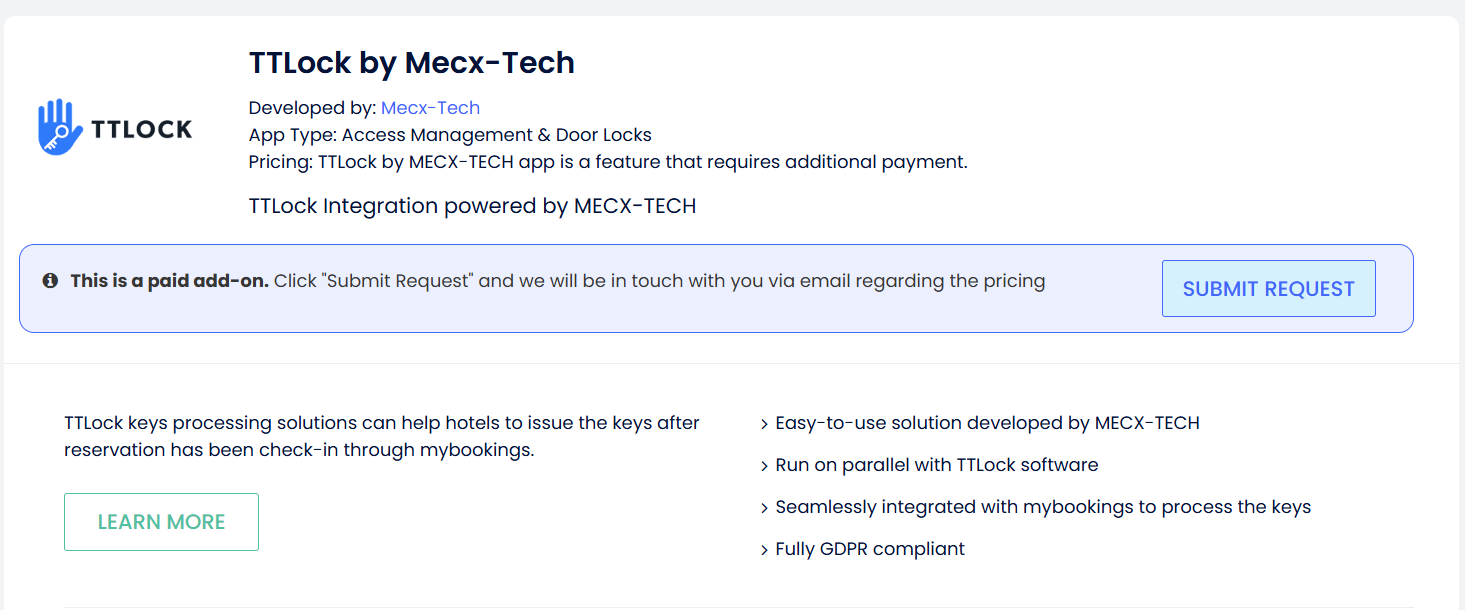
- Search for TTLock by Mecx-Tech and click ‘Learn More’ and, then, Connect App. You will be prompted to accept the integration permissions and directed to Mecx-Tech to complete the connection..

To disconnect the interface, it is necessary to follow standard procedure of disconnecting app in Cloudbeds PMS.
Click on this [here link] for more information about the disconnection process.
We provide remote support to hotels using various remote connection tools. To contact MECX-TECH Customer Services Team send an email to [[email protected]].
FAQs
MECX-TECH does not store any credit card details and only transfers data to the payment gateway, which is made safe and secure, in compliance to PCI DSS.
- MECX-TECH does not store any details and only transfers data from personal and travel documents into CloudBeds. There are various data protection features that allow hotels to comply with different data privacy laws and regulations.
MECX-TECH offers an annual software license that includes remote technical support and upgrades with the latest issued identity documents.
We are supported only the integration between CloudBeds booking engine and payment gateway. Online Travel Agency (OTA) will NOT supported. Please contact us if you need more details.
Customer support is provided from our regional offices in Thailand (GMT+7), usually by remote tools such as TeamViewer, AnyDesk, or similar.